
Design furniture from panels in 3D

In your browser — cutting list, quote and DXF, nothing to install.

Latest article
Demo videoGuide15:39

Dividing Cabinets into Drawers: Front Heights in 3D

Divide cabinets into drawers in 3D: set front heights, add internal drawers, leave open spaces, configure handles, and adjust dimensions easily.

For carpenters and workshops
3,2 mln
panels calculated
~30 s
from dimensions to quote
90+
decors in the library
0 zł
to start a project
Three things carpenters pay for

From design to quote and CNC

https://prosciej.com/s/x7f2 Approved
For the client

View-only share link

Send your client a link to the project — they'll view the furniture in 3D, on their phone, with no account. Rotate, zoom, approve.

1 248 zł
Ready-made quote

PDF export with a quote

A cutting list with dimensions, edging and prices from your own material library. One click = a professional quote for your client.

600×560
Straight to the machine

DXF export for CNC

The panel cutting layout on sheets as DXF: closed cut contours and grain-direction arrows, the same nesting as your quote. Load it straight into your panel saw or nesting software. Holes and routing — coming soon.

How it works

Three steps to finished furniture

1

Enter your room dimensions

Width, depth, height, walls, windows and doors. The room appears instantly in 3D.

2

Build furniture, simpler

You don't stack a cabinet together from single boards like building blocks. You insert a ready carcass, and Prosciej pushes it to the wall, places the next ones beside it and calculates the fronts with gaps for you.

3

Cutting list with a quote

Cutting list with dimensions and prices as a PDF, plus a 3D preview link for your client.

3D editor

From panels to finished furniture — right in your browser

Room, cabinets, panels, countertop — all from real dimensions in millimetres. No installation, on any computer.

A real 3D view
Rotate, zoom, view your furniture from every side — smooth on any computer.
Snap to walls and edges
Panels snap to the grid, walls and neighbouring furniture.
Live cutting list
Every change instantly recalculates dimensions, area and cost.
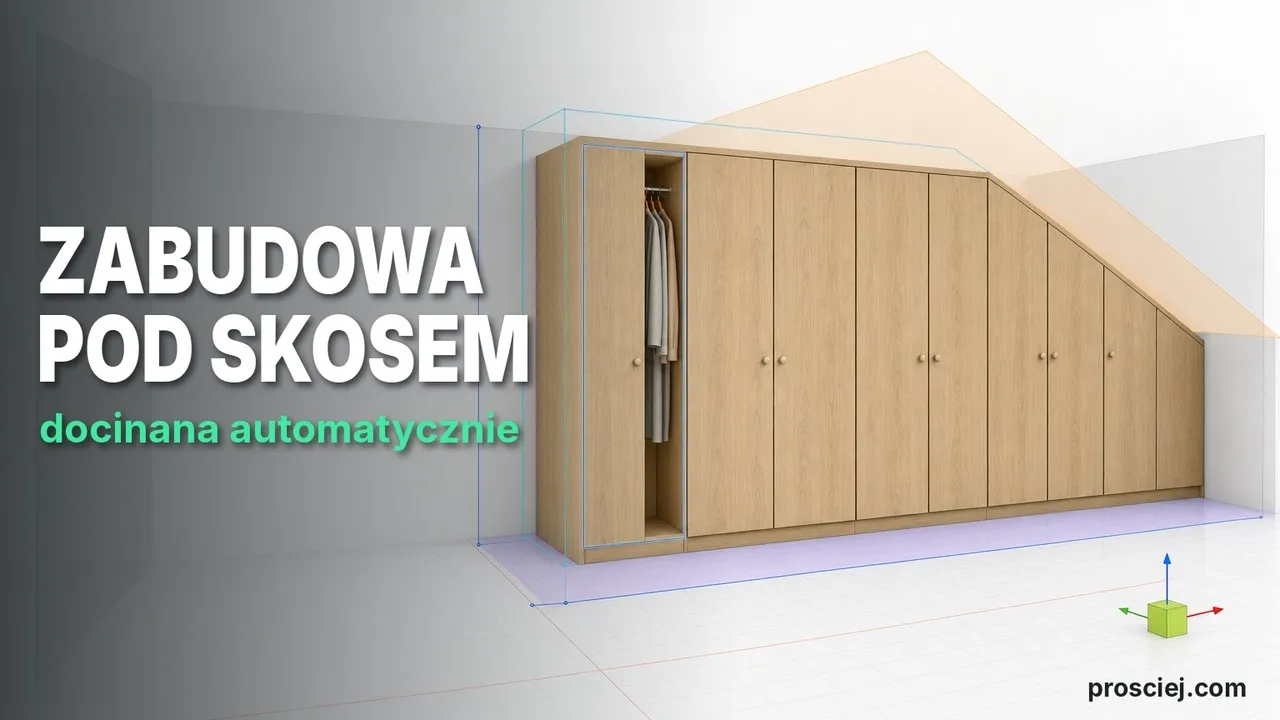
Fitted units for a whole wall, even under a slope
The wizard splits a wall into cells, places cabinets and suggests fillers; under an attic slope the panels are cut to fit.
https://prosciej.com/editor
8507202000
Helper

Not sure where to click? Ask the Helper

The Helper built into the editor shows where every tool is and explains what it does. No manual, no hunting through menus.

Ask in your own words

Type something like “how do I add a drawer” — the Helper opens the right panel and points at the button.

What’s this?

Point at any button and see what it does. The click never runs it, so you can’t break anything.

Why it’s greyed out

When a tool is inactive, the Helper tells you what is missing: a selected cabinet, a saved project or a plan.

Helper in action

See how the Helper guides you through the editor

One question, five steps, and the drawers are in the cabinet. This is a real run in the editor, click by click.

  1. 1 · Question

    Ask in your own words

    You type “how do I add a drawer?”. The Helper suggests the right tool straight away.

  2. 2 · Guidance

    Click where it glows

    It selects your furniture for you, then highlights “Simplify” and “Smart components”.

  3. 3 · Niche

    Point at the niche

    Hover over the cabinet’s niche and click. The drawers window opens with its dimensions.

  4. 4 · Done

    Drawers in the cabinet

    Choose how many drawers and click “Add drawers”. The Helper ticks off the last step.

Material library

90+ decors of boards, veneer, stone and metal

Egger and Kronospan with real decor codes. Apply a decor to a panel and set your own prices per m² — the quote calculates itself.

Dąb Bardolino naturalny
H1145 · Price to be set
Dąb Halifax naturalny
H1180 · Price to be set
Orzech Dijon naturalny
H3734 · Price to be set
Dąb Thermo czarnobrązowy
H1199 · Price to be set
Orzech Lincoln
H1714 · Price to be set
Biały alpejski
W1100 · Price to be set
Czarny
U999 · Price to be set
Niebieski głębinowy
U560 · Price to be set
Szary Angora
U705 · Price to be set
Burgund
U311 · Price to be set
Beton Chicago jasnoszary
F186 · Price to be set
Marmur Crystal
F800 · Price to be set
Marmur Levanto biały
F812 · Price to be set
Inox metallic
F500 · Price to be set
Metal szczotkowany złoty
F527 · Price to be set
Metal Rock antracytowy
F121 · Price to be set
Pricing

Simple pricing for carpenters and designers

From a demo to the full feature set with AI visualizations and your own branding. Net prices — we add 23% VAT to each. Cancel anytime.

Freedemo
0 złforever

A full demo of the whole app. No saving, export or sharing.

3D editor — full
Cloud project saving
PDF export with a quote
DXF export — cutting layout for CNC
View-only link for your client
Photorealistic Render Prosciej — no tokens needed
AI visualizations — paid with tokens bought separately
Your own branding
RECOMMENDED
StandardPromotional price
100 zł/ mo net+23% VAT · 123 zł grossTemporary price — it will go up soon

Everything a workshop needs: project saving, PDF quotes and DXF files for CNC machines.

3D editor — full
Cloud project saving
PDF export with a quote
DXF export — cutting layout for CNC
View-only link for your client
Photorealistic Render Prosciej — no tokens needed
AI visualizations — paid with tokens bought separately
Your own branding
BusinessComing soon
150 zł/ mo net+23% VAT · 184,50 zł grossTemporary price — it will go up soon

Standard + your own branding: logo on PDF quotes and on the client link.

3D editor — full
Cloud project saving
PDF export with a quote
DXF export — cutting layout for CNC
View-only link for your client
Your own branding (logo on PDF / link)
Photorealistic Render Prosciej — no tokens needed
AI visualizations — paid with tokens bought separately
Payments:
Subscription

Card, Apple Pay or Google Pay. Payment renews automatically every month — cancel anytime.

VisaMastercardApple PayGoogle Pay
Card details never reach our servers.
Monthly access (30 days)

BLIK or Przelewy24. A one-time payment for 30 days, with no automatic renewal.

BLIKPrzelewy24

Frequently asked questions

No. Prosciej runs in the browser on Mac and Windows — all you need is an account. Your client opens the view-only link even on a phone, without signing in.

Yes. On any paid plan you build your own board library with prices per m². The cutting list and PDF quote calculate automatically from your rates.

Yes, for cutting. The DXF is a ready sheet layout of your panels — closed cut contours and grain-direction arrows, the same nesting as your quote, calculated automatically from your project. Load it straight into your panel saw or nesting software, no redrawing. It doesn't yet include machining operations (hinge holes, grooves, routing) — those are coming soon.

Via Stripe, in two ways. Card, Apple Pay or Google Pay pays for the subscription, which renews automatically every month. BLIK or Przelewy24 buys a one-time monthly access pass (30 days) instead — it doesn't auto-renew, so you buy the next period manually. A VAT invoice with a tax ID is available on the Business plan.

Yes. The editor has a built-in Helper: type what you want to do in your own words (e.g. “how do I add a drawer”) and it shows where the right tool is and walks you through it step by step. The “What’s this?” button explains any element, including why it is greyed out, and changes nothing in your project. The Helper is available in the demo, on the Free plan and on paid plans.

Yes. The fitted-furniture module splits a wall into cells, places cabinets and library units and suggests the fillers itself — a kitchen with base and wall cabinets, or a full-wall wardrobe. In an attic room with a sloped ceiling the cabinets, fillers and doors are cut to the slope, and fronts that reach the ceiling get a cut-back angle. The video articles on this page show each step.

Design your first piece of furniture today

Create a free account and calculate a cutting list in minutes. No card required.